
Cursed Text Generator
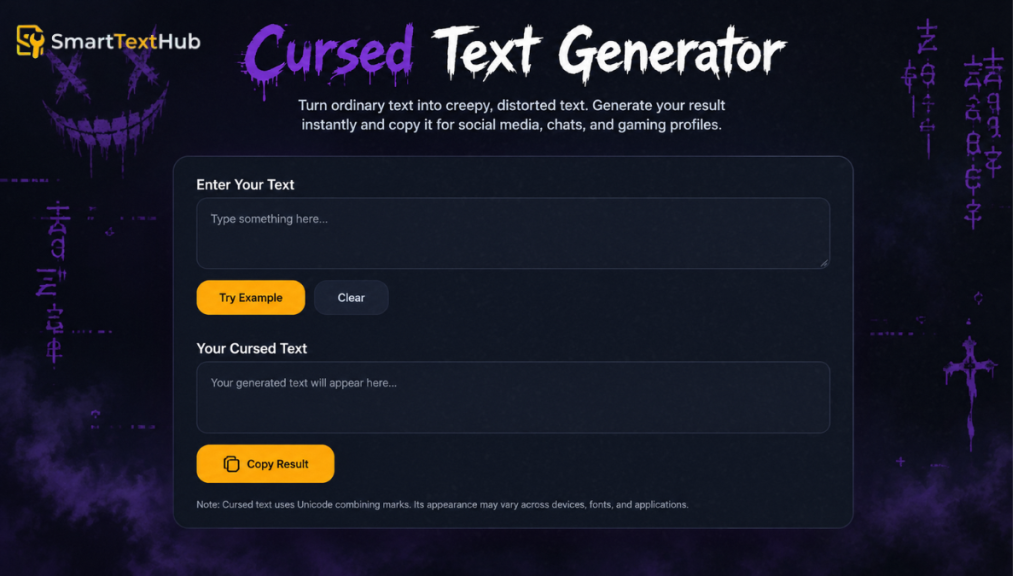
Use this Cursed Text Generator to turn ordinary text into a creepy, distorted version that you can copy and paste. Enter your text to see the result instantly. The tool applies one fixed effect rather than offering multiple styles or adjustable intensity.
Cursed Text Generator
Turn ordinary text into creepy, distorted text. Generate your result instantly and copy it for social media, chats, and gaming profiles.
Up to 2,000 characters. Line breaks are kept.
Your Cursed Text
Compatibility note: This tool adds Unicode combining marks to letters and digits, so the result is plain text, not a font. Its appearance can vary between operating systems, browsers, apps, and fonts, and some platforms may display or strip the marks differently.
What Is a Cursed Text Generator?
A cursed text generator uses Unicode characters and combining marks to give ordinary text a distorted appearance. The result is still text, not a separate font file. Its appearance can vary depending on the device, application, and font used to display it.
Instead of manually adding unusual symbols, you can use a generator to create stylized text that you can copy and paste into supported apps and websites.
What Does Cursed Text Look Like?
Cursed text makes normal words look strange, eerie, or digitally corrupted. Some styles add marks around letters, while others create a glitchy appearance that resembles a computer error.
For example, the ordinary phrase Hello World could be transformed into a heavily distorted version with unusual marks surrounding its letters. A lighter effect may remain readable, while a more extreme effect can make the original words difficult to recognize.
Cursed text is often used for spooky usernames, creepy captions, horror memes, and playful messages. Its appearance depends on the style generated and how the destination device or application renders the characters.
Cursed Text vs. Glitch Text and Zalgo Text
Cursed text, glitch text, and Zalgo text are related, but they do not always mean the same thing.
- Cursed text: A broad term for text that looks creepy, unusual, distorted, or corrupted.
- Glitch text: Text designed to resemble digital interference, visual errors, or corrupted data.
- Zalgo text: A style that commonly uses Unicode combining marks stacked above, below, or around ordinary letters to create a chaotic appearance.
A Cursed Text Generator may produce one or more of these effects. Zalgo text is often more heavily distorted, while other cursed or glitch styles may preserve more of the original text’s readability. The exact results depend on the generator’s available effects.
How to Use the Cursed Text Generator
Creating creepy, distorted text takes just a few simple steps. Enter your text, generate the result, and copy the version you like. For the best results, check how the generated text looks before using it on your preferred platform.
Enter Your Text
Type or paste your words into the input field of the Cursed Text Generator. You can start with a name, short phrase, gaming username, social media caption, or spooky message.
If you’re trying a new effect, begin with a short phrase. This makes it easier to see how the letters change and decide whether the result is readable enough for your needs.
Generate and Preview the Result
Generate your cursed text using the tool’s available controls. If the generator creates results automatically as you type, review the output once it appears.
Check the transformed text for unusual symbols, distorted letters, and unexpected spacing. If multiple styles are available, compare them and choose the one that best matches your intended look.
Remember that heavily distorted text can be harder to read, so consider where you plan to use it before choosing an effect.
Copy and Paste Your Cursed Text
Once you’re happy with the result, copy the generated text using the tool’s copy button, if available. You can also select the output and copy it manually.
Paste the text into a supported social media profile, chat, gaming username field, or other destination. Check the pasted version before sharing it because some platforms may display unusual Unicode characters differently or restrict certain symbols.
If the text appears as boxes or missing characters, try a simpler style or test it in another application.
How Cursed Text Looks
Cursed text can take different forms, from creepy-looking letters to heavily distorted characters that resemble digital glitches. These effects help transform ordinary words into unusual text for social media, gaming profiles, memes, and horror-themed content. The available styles depend on the generator and the characters it uses.
Creepy and Distorted Characters
Creepy and scary text gives ordinary words a darker, more unsettling appearance. It can be useful for spooky captions, horror-themed usernames, Halloween posts, and fictional messages.
For example, a phrase like Don't look behind you can feel more mysterious when displayed in a distorted text style. The words remain the same, but their visual appearance creates a different mood.
A creepy text generator or scary text generator can be useful when you want a quick visual effect without manually editing each character. Choose a style that matches your content while keeping the message understandable.
Cursed Text vs. Glitch Text and Zalgo Text
Glitchy text is designed to resemble a digital malfunction, corrupted screen, or visual error. Depending on the effect, letters may appear altered or surrounded by unusual marks.
This style works well for gaming profiles, cyberpunk-inspired designs, digital horror, and internet memes. It can also make short messages stand out in chats and online communities.
A glitch text generator may use special Unicode characters or other text transformations to produce the effect. Because different methods can create different results, preview the output before copying it into another application.
Cursed Fonts and Unusual Characters
Cursed fonts and unusual letters make text look different from standard writing. These styles may include strange symbols, decorative characters, or marks that change how the original letters appear.
Unlike traditional fonts, some cursed text effects use Unicode characters rather than a separate font file. This allows the generated result to be copied and pasted as text, although its appearance can vary depending on the destination platform and font support.
If you want cursed letters that remain easy to read, test the output before using it in a username or longer message. Heavily distorted characters can look dramatic, but they may not display correctly everywhere.
Where Can You Use Cursed Text?
Cursed text can make ordinary words look unusual, creepy, or digitally distorted. You can use it to add personality to online profiles, create eye-catching posts, or give messages a spooky appearance. The best results usually come from choosing an effect that suits the platform and remains readable enough for your audience.
Social Media Bios and Posts
Use cursed text to give your social media bios, captions, comments, and posts a distinctive look. Creepy lettering can suit Halloween content, mysterious profiles, dark aesthetics, and playful posts.
You can generate a phrase, copy the result, and paste it into a supported text field. However, not every platform supports every unusual character, so check the final appearance before publishing.
Gaming Usernames and Online Profiles
Cursed text can help create distinctive gaming usernames, display names, clan tags, and online profile descriptions. Glitchy or distorted lettering can complement horror games, dark-themed profiles, and gaming identities.
Before choosing a generated name, check the game’s character restrictions and username length limits. Some games and services reject certain Unicode characters, even when those characters display correctly elsewhere.
For the most practical result, choose a style that is recognizable, easy to copy, and suitable for the platform where you want to use it.
Memes, Chats, and Horror-Themed Content
Cursed text is also useful for memes, funny messages, spooky conversations, fictional dialogue, and horror-themed creative projects. A distorted phrase can make a meme feel more chaotic or give a short message an eerie visual effect.
For example, you might use creepy text for a fictional warning, a mysterious caption, or a Halloween-themed joke. These effects work especially well with short phrases because readers can understand the message without struggling through heavily distorted paragraphs.
If you are creating longer content, consider using a lighter effect to preserve readability. Always preview the copied text in its destination app to make sure the characters display as intended.
Why Does Cursed Text Look Different on Some Devices?
Cursed text may look different across phones, computers, browsers, and apps because each platform handles text characters differently. Many cursed text effects use Unicode characters or combining marks that depend on font support and how the destination application renders them.
A result that looks correct in your generator may appear differently after you copy and paste it into a social media post, chat, or gaming profile. This does not necessarily mean the text generator is broken; the destination may simply handle some characters differently.
Missing Characters, Boxes, and Question Marks
If your cursed text appears as empty boxes, question marks, or missing symbols, the device or application may not support the characters used in the generated result.
Common reasons include:
- Limited font support: The selected font may not contain the required characters.
- Unicode compatibility: Some applications cannot properly display every Unicode character.
- Combining mark rendering: Marks placed above or below letters may appear incorrectly or overlap other characters.
- Platform restrictions: Certain websites and games may reject or modify unusual characters in usernames and text fields.
To troubleshoot the problem, try a simpler cursed text style or paste the result into another application. If the characters still appear incorrectly, use a less distorted version or return to ordinary text.
How to Check Whether Your Cursed Text Works
Before sharing your generated text, test it in the application where you intend to use it. These simple steps can help you identify display problems.
- Generate your text: Enter your words and create the desired cursed effect.
- Copy the output: Use the copy button if available, or select and copy the text manually.
- Paste it into the destination: Try the intended profile field, chat, post, or username box.
- Check the appearance: Look for missing symbols, overlapping marks, unexpected spacing, or unreadable letters.
- Adjust if necessary: Try a simpler effect or shorter phrase if the result does not display correctly.
Remember that successful copying does not guarantee identical rendering on every device. Testing the actual destination is the best way to check whether your cursed text is suitable for its intended use.